2.3 KiB
2.0.3 Packet Tracer - Examine Packets in the Small Office
Objectives
- Part 1: Create a Simple PDU in Simulation Mode
- Part 2: View Contents of PDUs
- Part 3: Create a Complex PDU in Simulation Mode
Background / Scenario
In this Packet Tracer activity, you will use the Simulation mode to create PDUs to explore network functionality.
Note: Simulation mode does not work in Physical mode; therefore, Physical mode is locked.
Procedure
Part 1: Create a Simple PDU in Simulation Mode
-
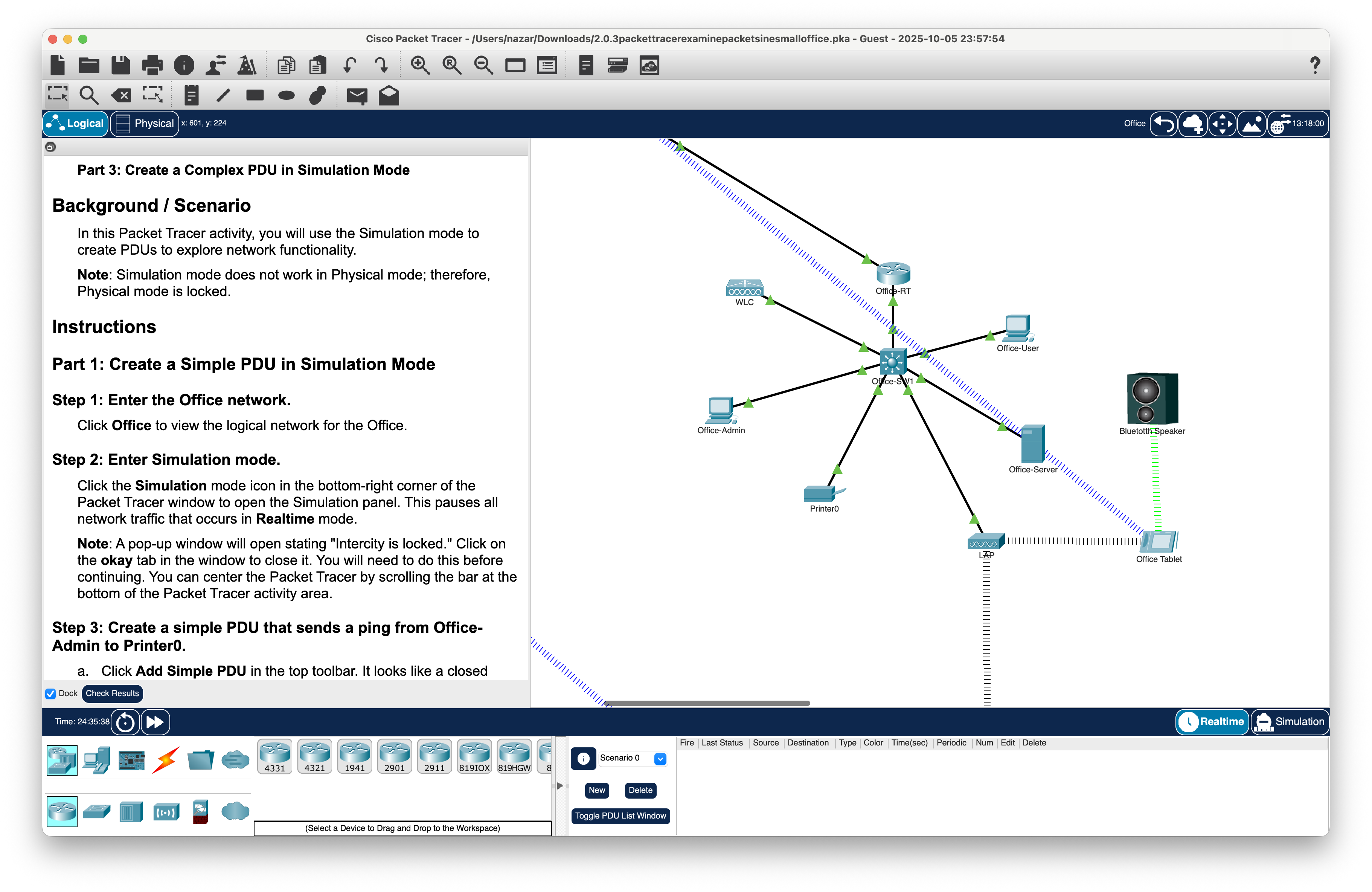
Step 1: Enter the Office network;
-
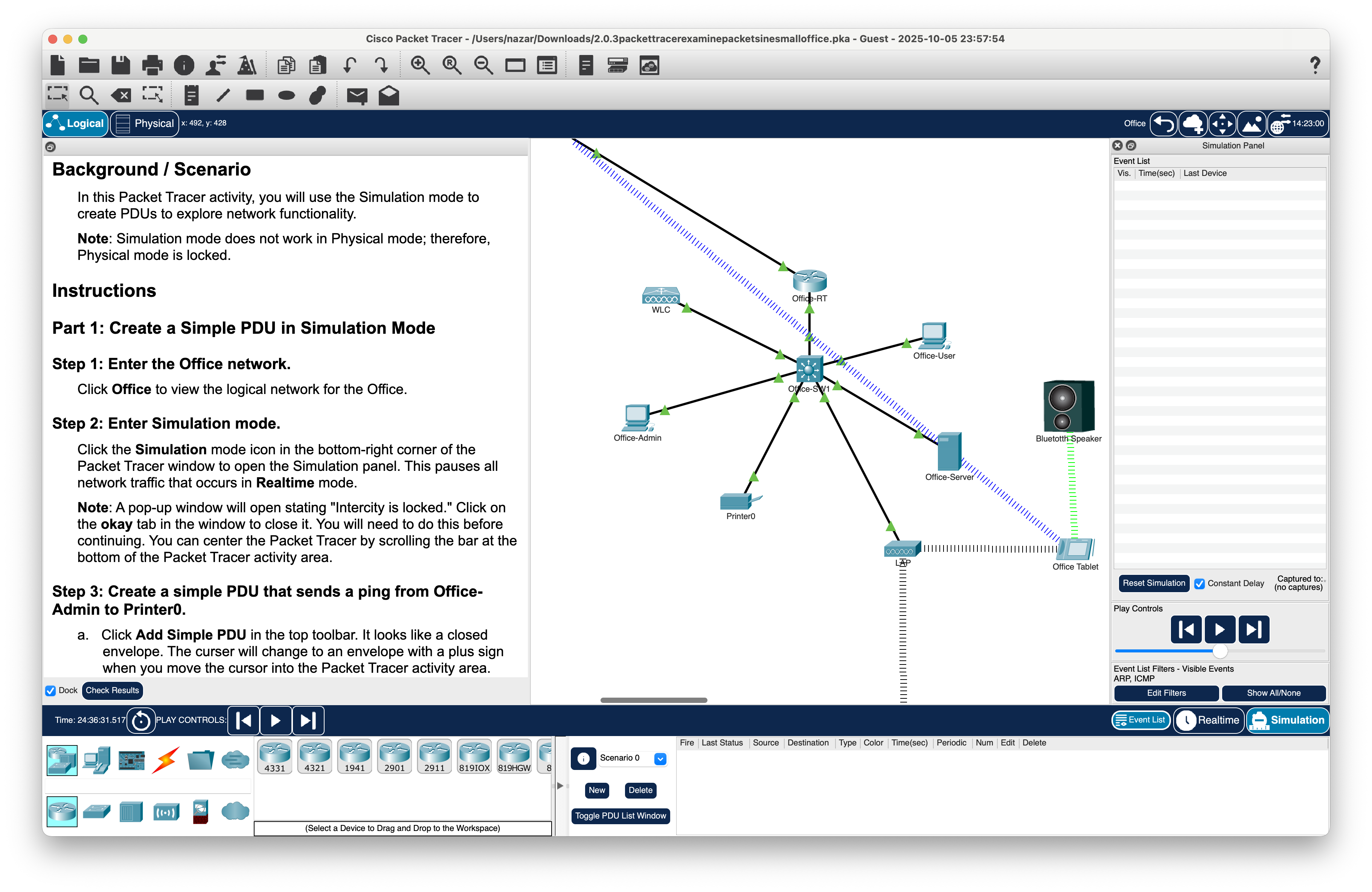
Step 2: Enter Simulation mode;
-
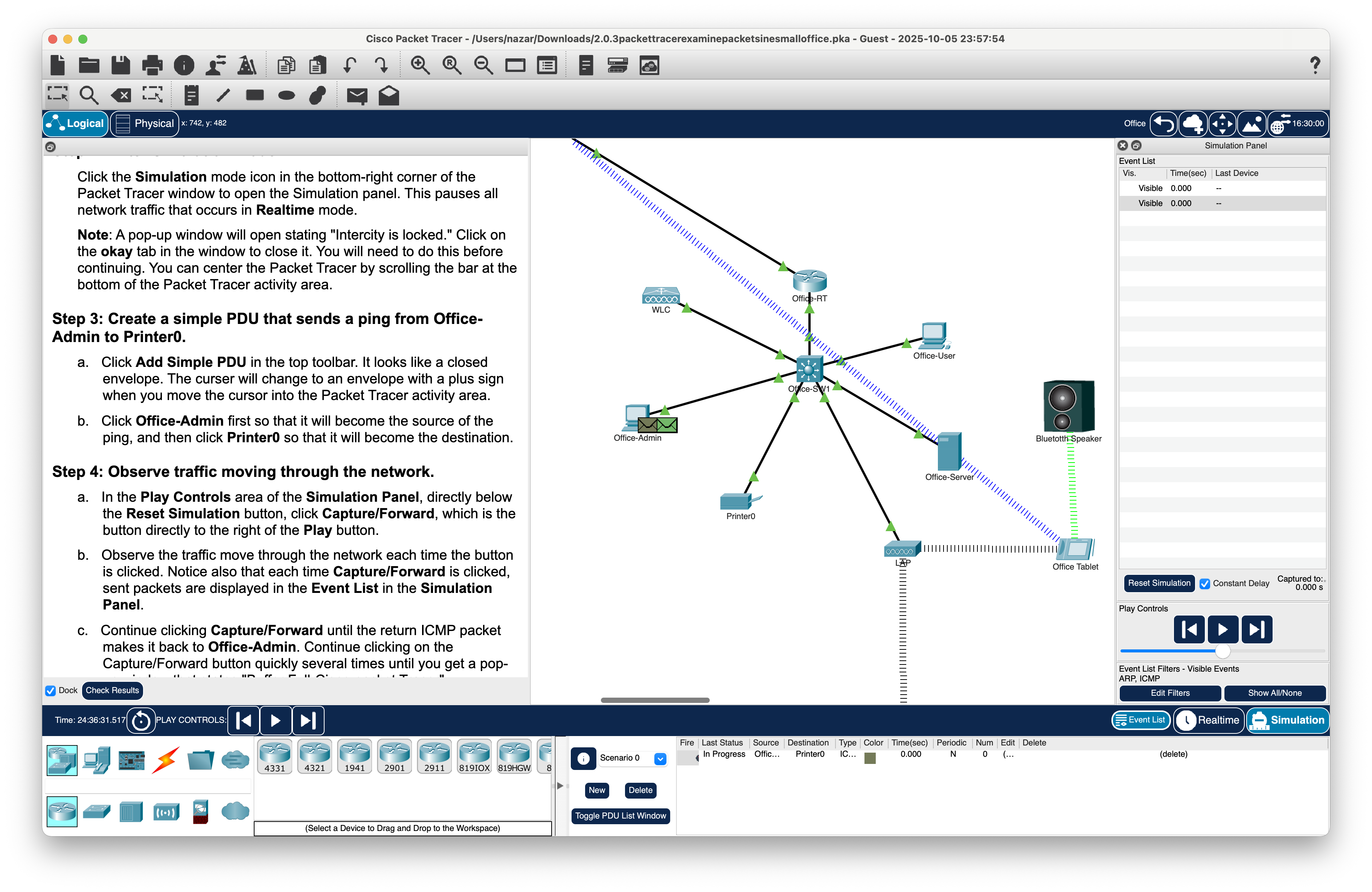
Step 3: Create a simple PDU that sends a ping from Office-Admin to Printer0;
-
Step 4: Observe traffic moving through the network.
-
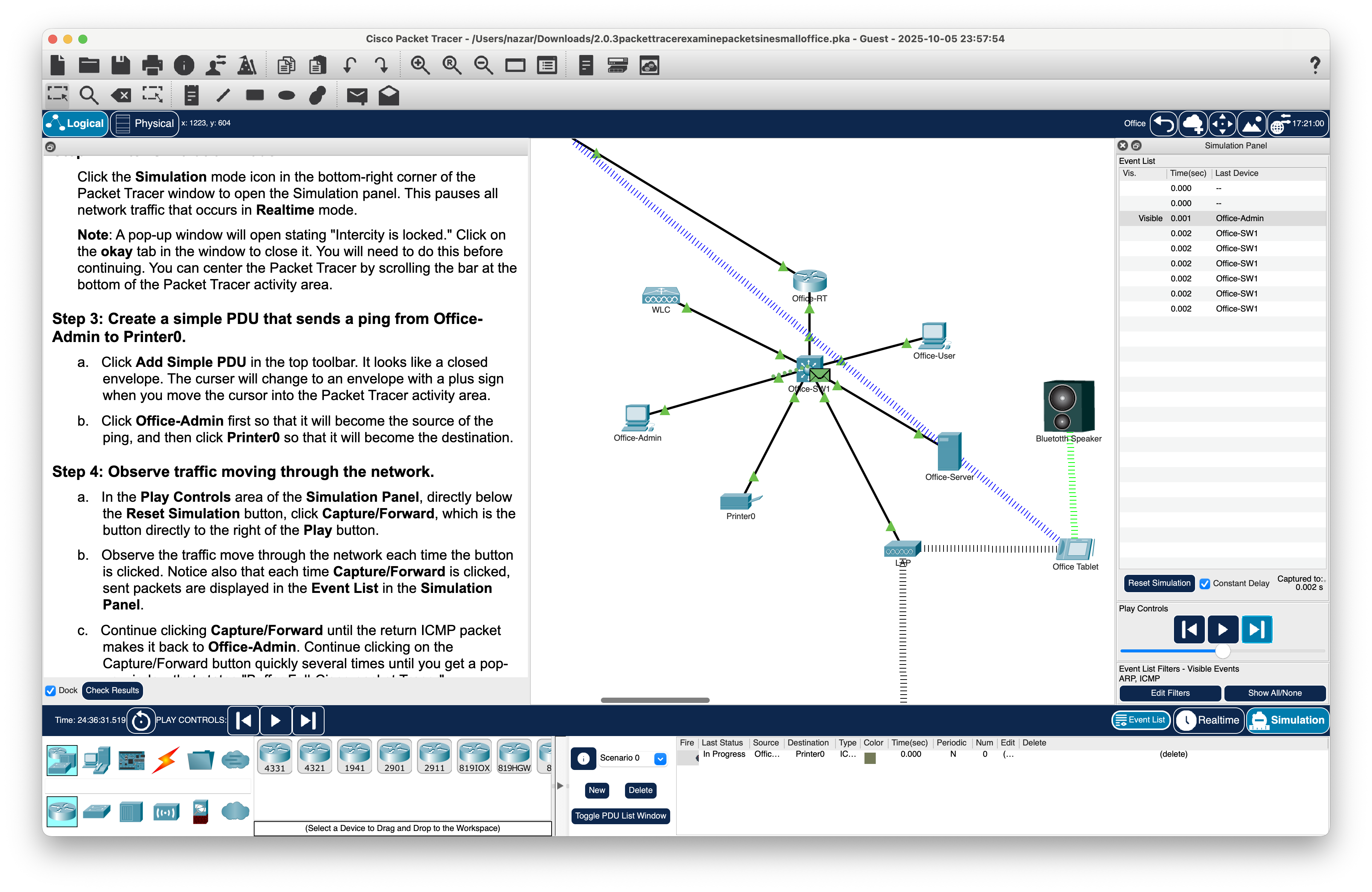
PDU goes outbound from the Office-Admin PC to the Office-SW1 switch;
-
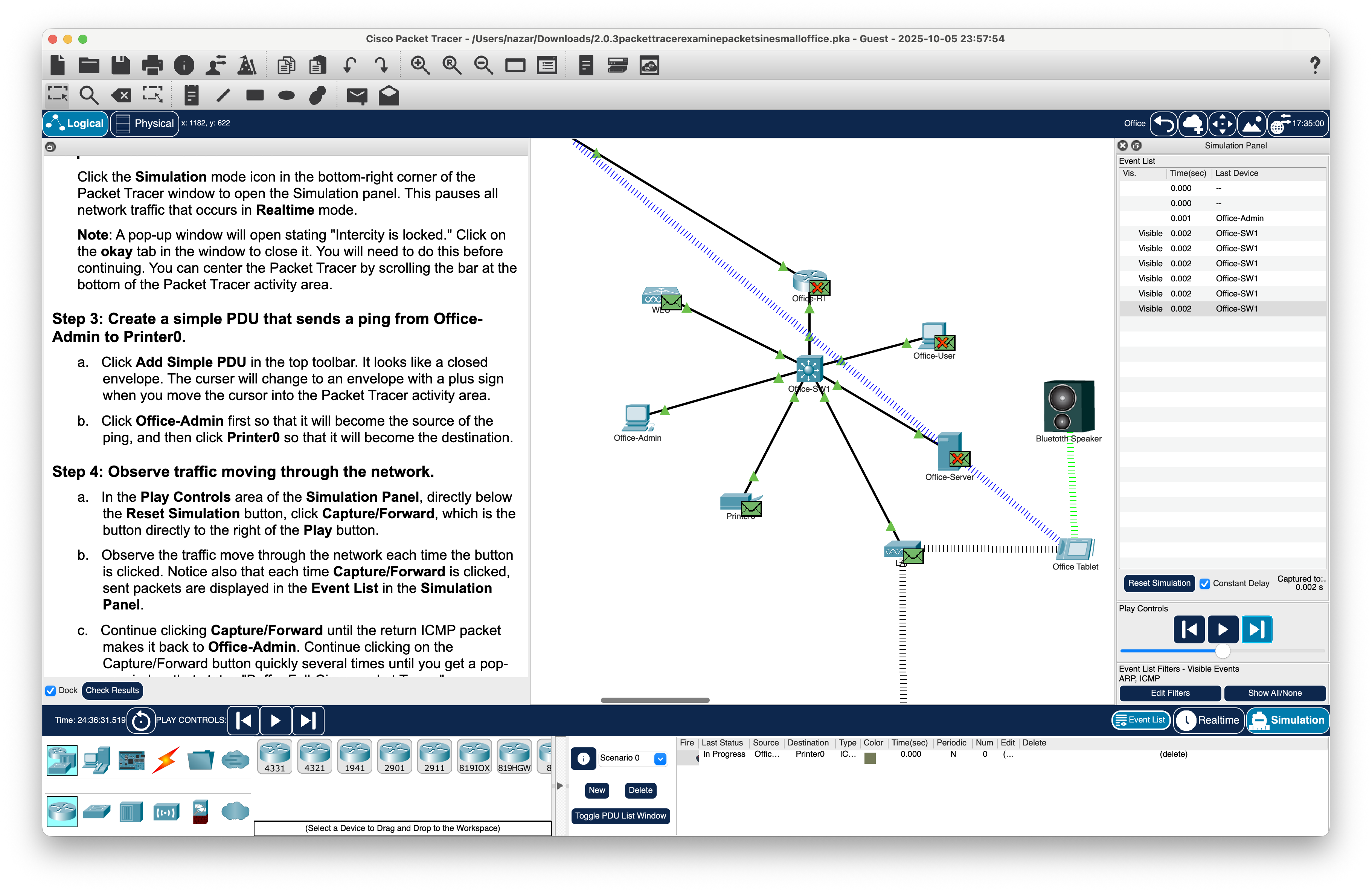
Office-SW1 sends a multicast packet to find and get a response from Printer0;
-
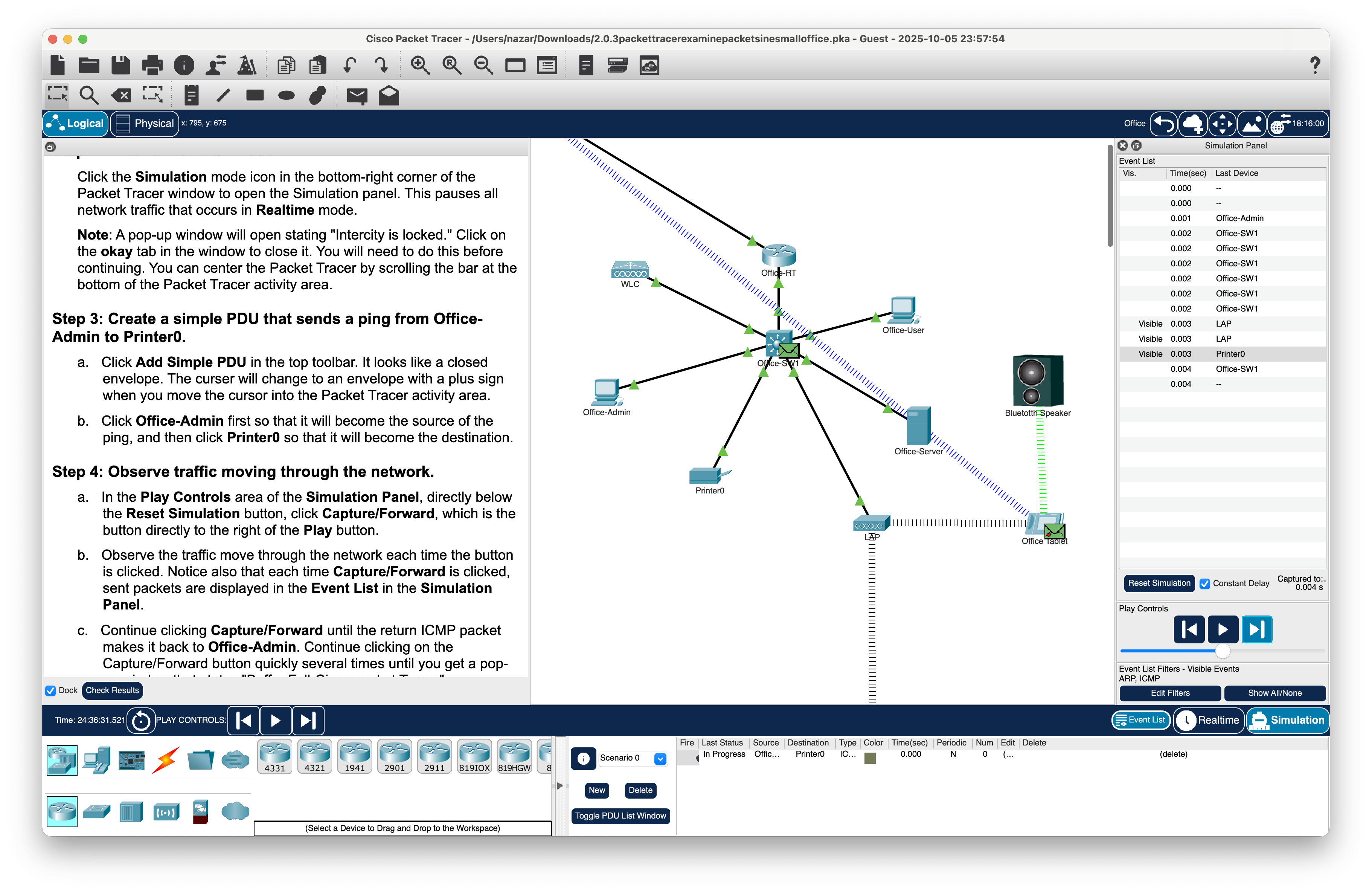
Printer0 replies with a response to Office-SW1
-
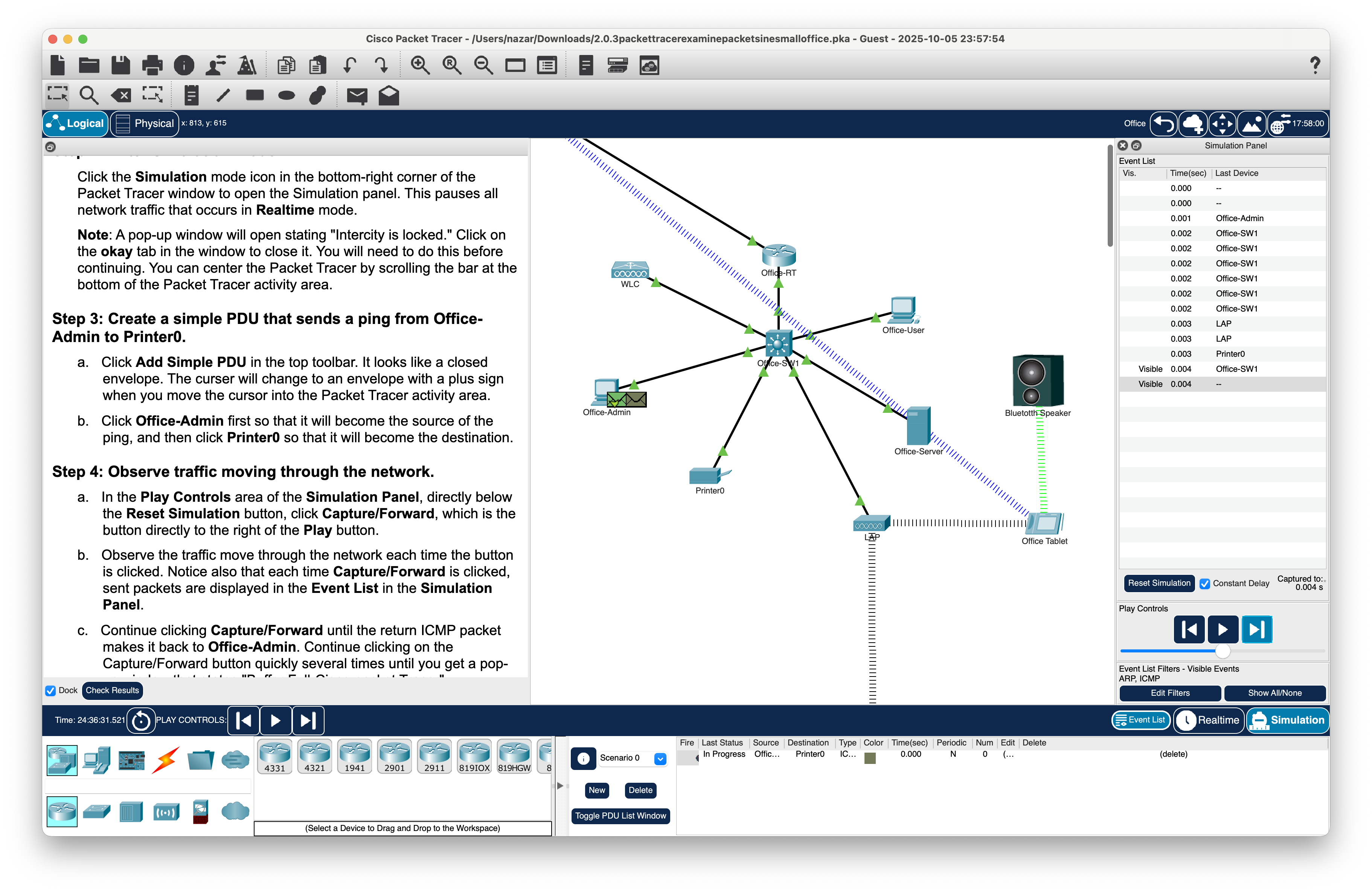
Office-Admin recieves response from Printer0 forwarded by Office-SW1
-


Part 2: View Contents of PDUs
-
Step 1: Use the event list to see PDU information;
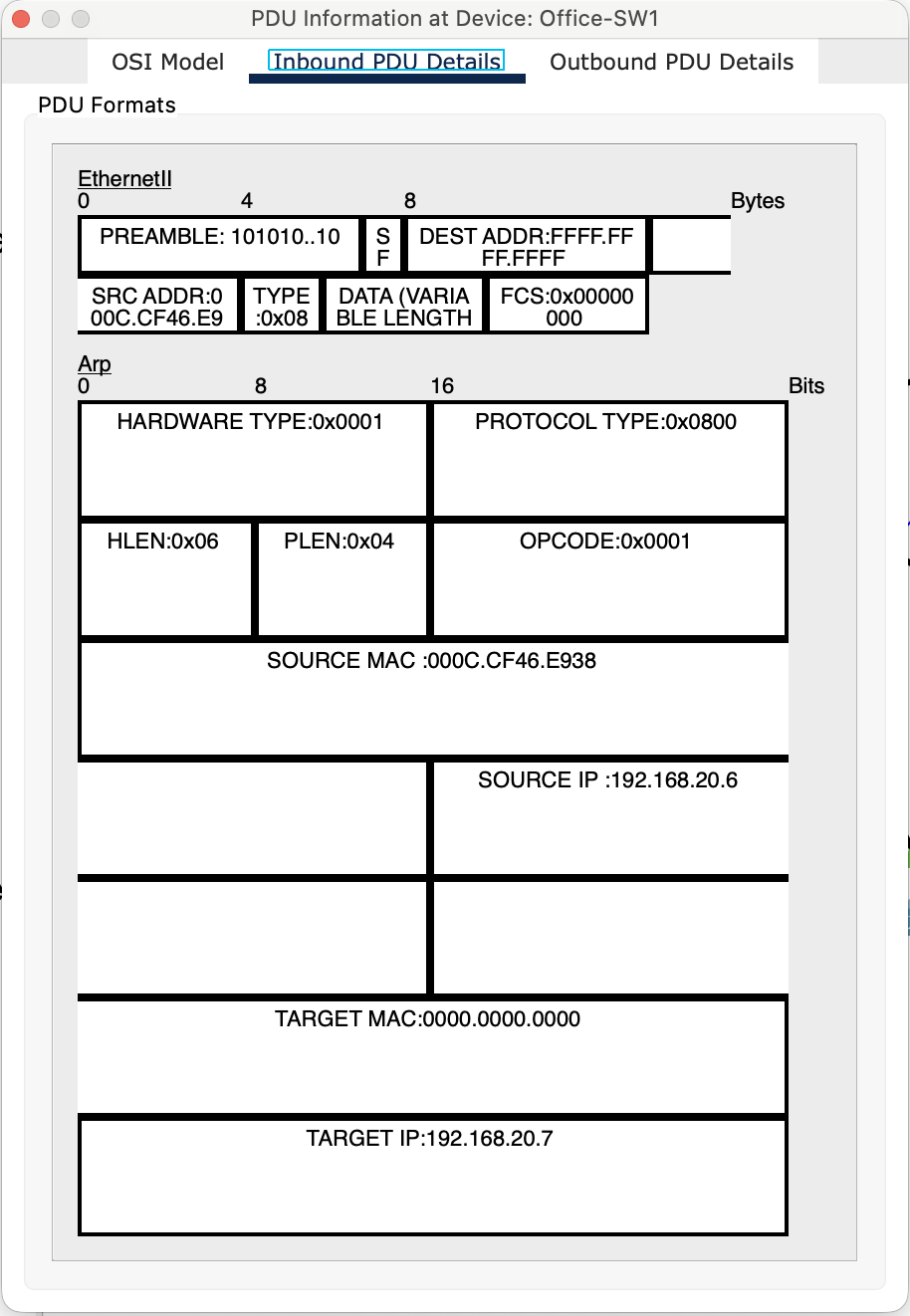
-
Step 2: Delete the simple PDU.
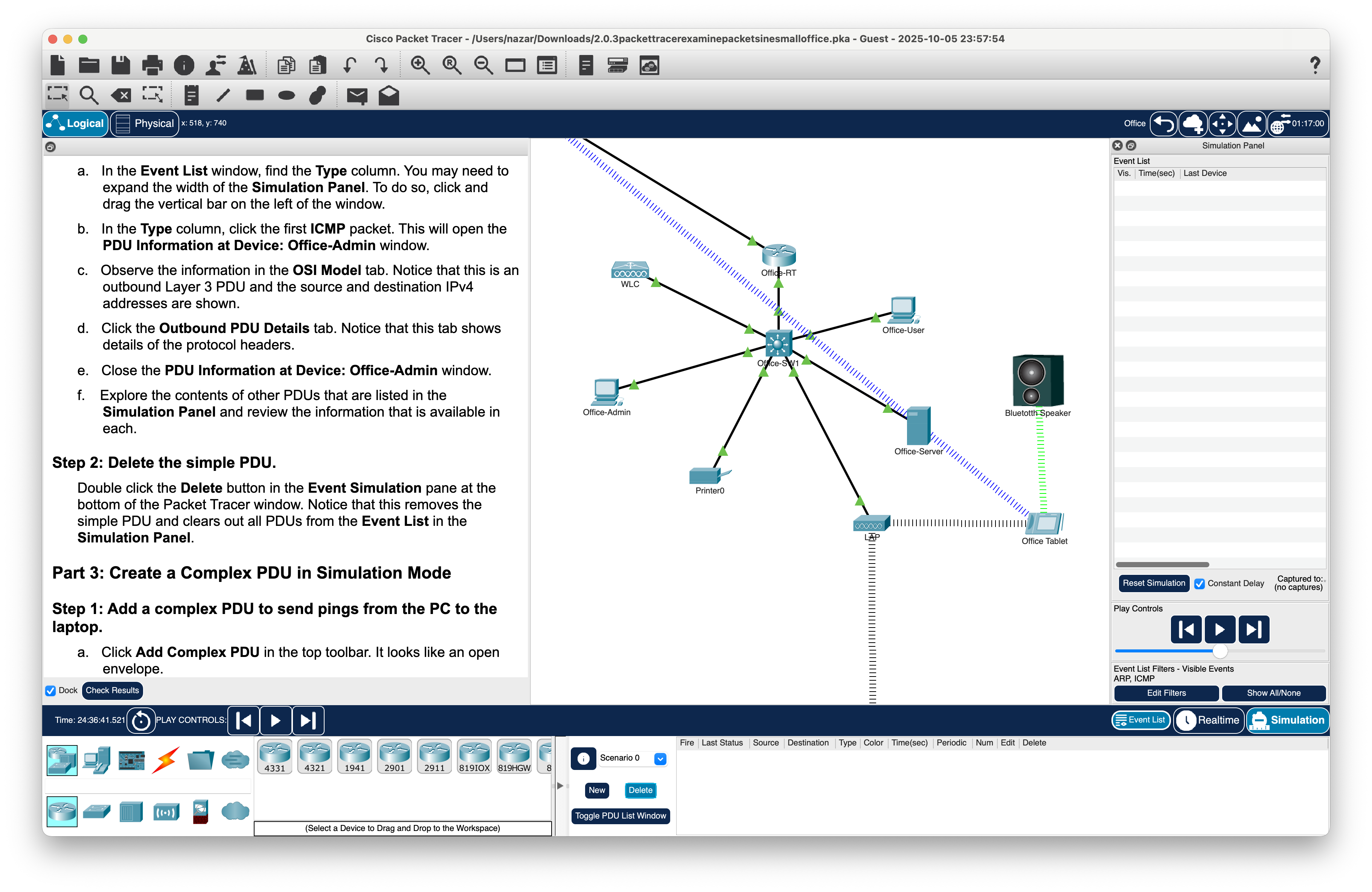


Part 3: Create a Complex PDU in Simulation Mode
-
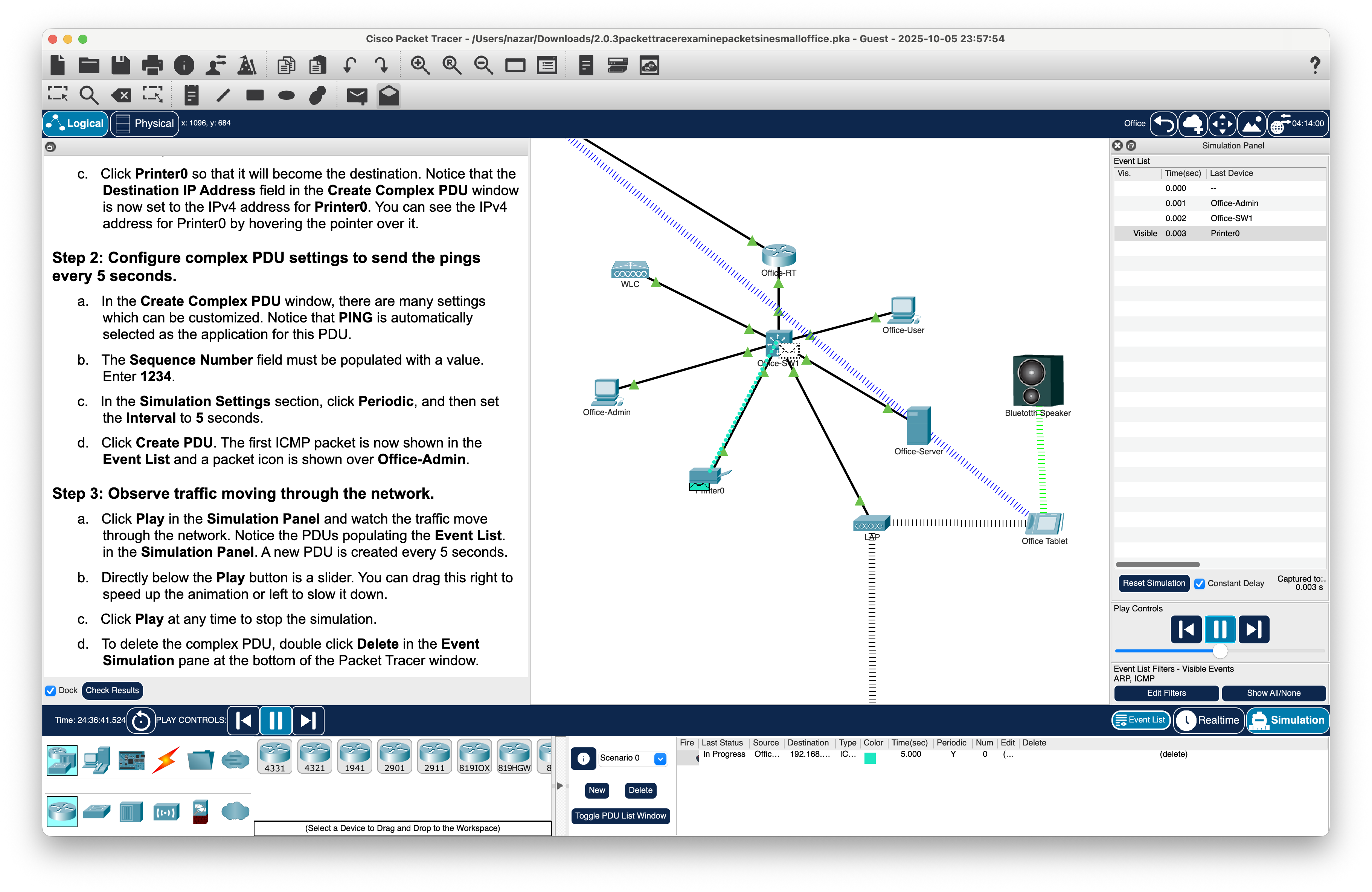
Step 1: Add a complex PDU to send pings from the PC to the laptop;
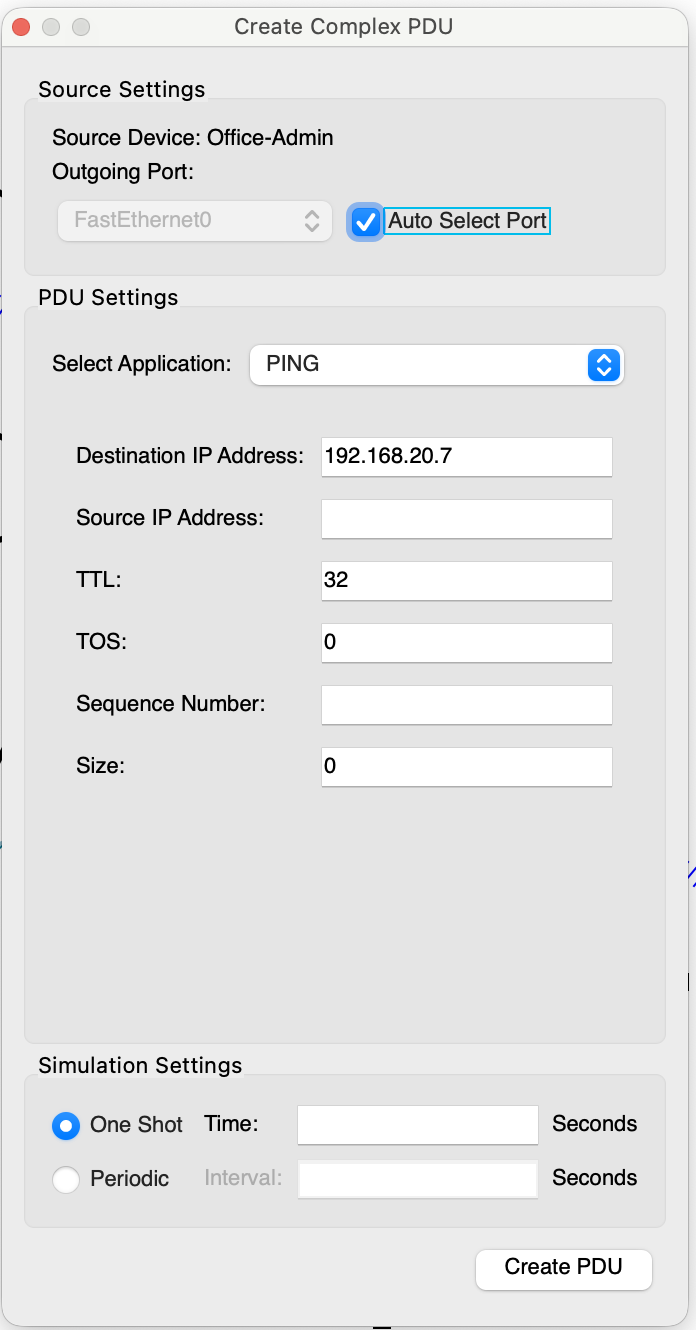
-
Step 2: Configure complex PDU settings to send the pings every 5 seconds;
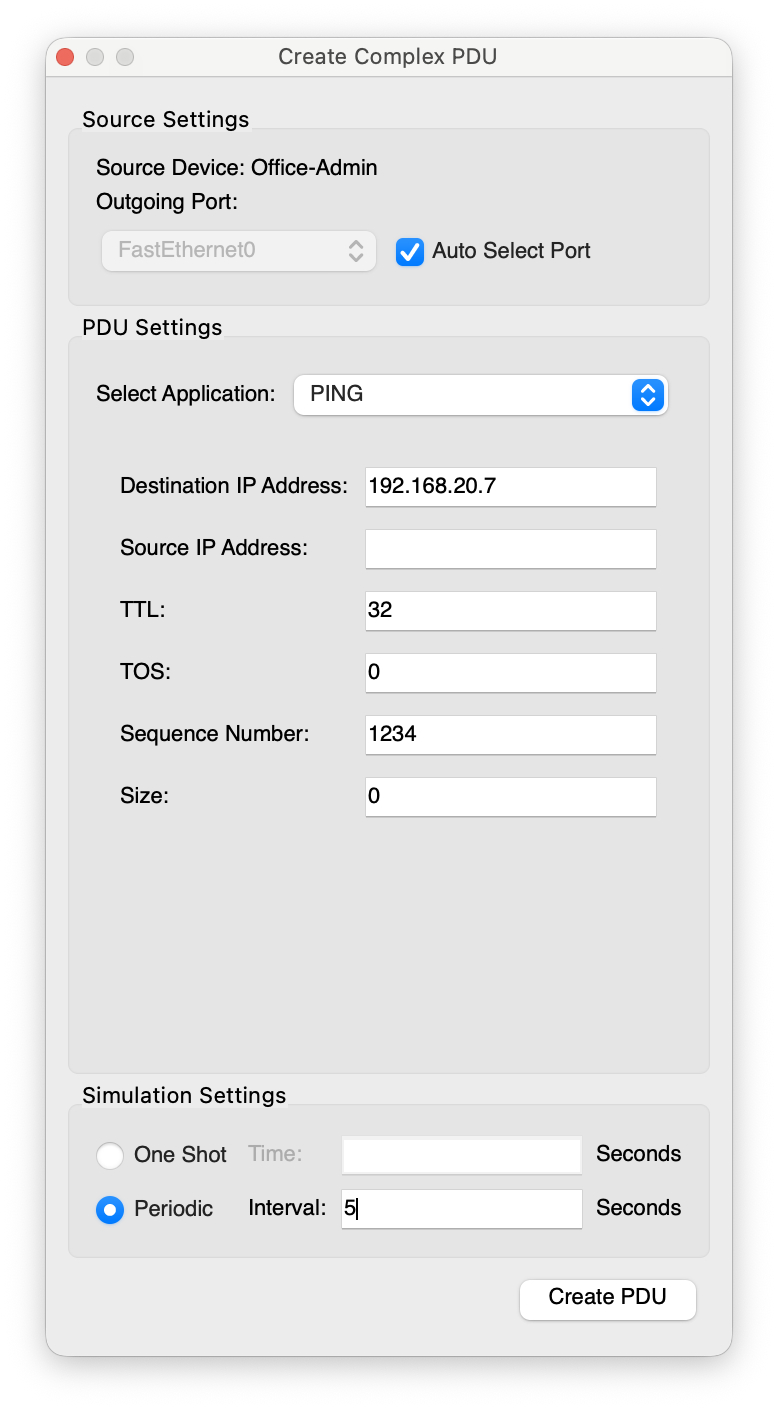
-
Step 3: Observe traffic moving through the network.